
In this guide
Installing outdoor security cameras is only part of the job. Getting an internet connection to those cameras can be the more difficult and expensive step.
A construction site, remote storage yard or agricultural property may have power and suitable camera locations, but no convenient wired broadband service. Extending a network connection can mean long cable runs, trenching, installation labor and delays.
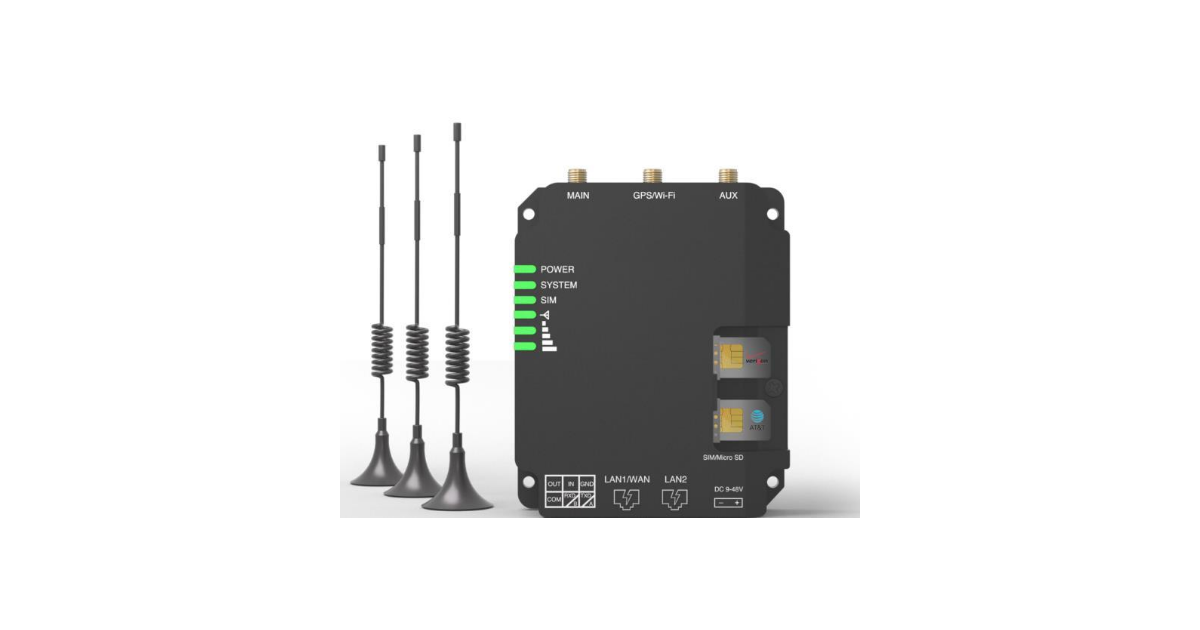
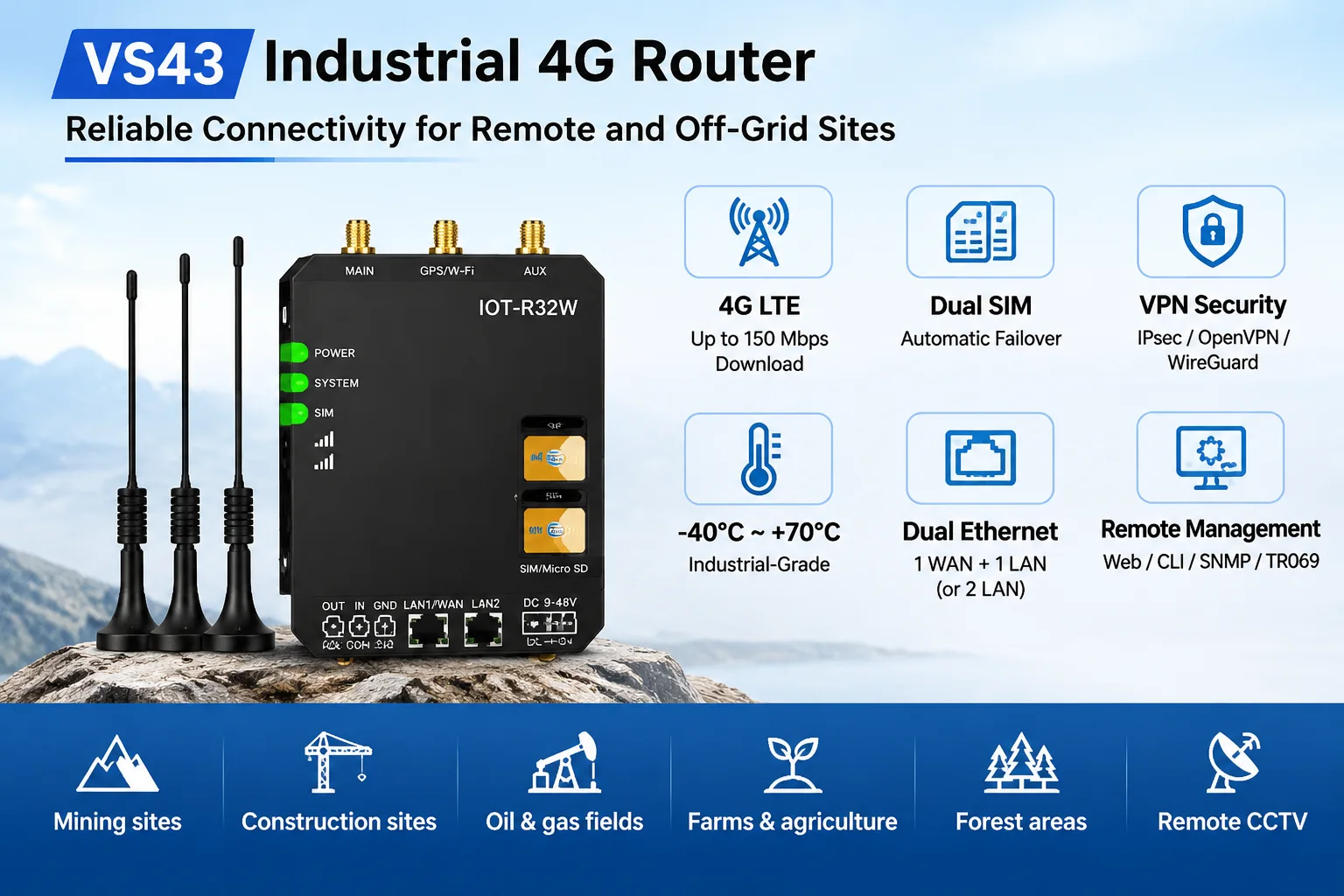
The VS43 Industrial 4G Router provides a cellular internet connection for compatible surveillance equipment through Ethernet. With an activated, compatible SIM card and suitable cellular coverage, it can bring connectivity to locations where extending wired broadband is difficult or impractical.
Bring Cellular Internet to Your Camera Network
The basic idea is straightforward: the router connects to a mobile carrier's 4G network and makes that connection available to local equipment through its Ethernet ports. IP cameras, a PoE switch or an NVR can then form part of a connected surveillance system.
This can reduce the need to run a dedicated wired internet connection from a distant building or service point to the monitoring location. It does not eliminate every cable: the router and cameras still need suitable power, and the local network normally uses Ethernet connections between devices.
An activated SIM, a suitable data plan, supported carrier bands, correct network settings and usable cellular coverage are all part of a successful installation. Depending on the carrier, APN configuration may also be required.
Where a 4G Surveillance Connection Makes Sense
Construction Sites and Temporary Projects
Site entrances, material storage areas and temporary offices may need monitoring before permanent internet service is installed. A cellular router can provide a practical connection for remote viewing and system access, subject to coverage and the chosen remote-access method.
For projects that move between locations, the connectivity equipment can be reassessed and redeployed instead of treating every new site as a new wired broadband installation.
Remote Yards, Farms and Storage Areas
Outbuildings, equipment yards and remote storage areas can be far from the nearest wired network. Where cellular coverage is available, the VS43 offers another way to connect a local camera system without extending broadband cabling across the entire property.
Outdoor Monitoring Points with Difficult Cable Routes
Long distances, access restrictions and challenging cable routes can make construction work a major part of a surveillance budget. A 4G connection may reduce the work needed to provide internet backhaul, while retaining local cabling and recording where appropriate.
The actual savings depend on the site, coverage, equipment and ongoing data plan. Compare those requirements with the cost and practicality of a wired connection before choosing a deployment approach.
A Practical Camera, Switch and NVR Setup
One common arrangement connects IP cameras to a PoE switch, with the NVR and VS43 on the same local network. The switch connects the devices, the NVR handles recording, and the router provides the cellular internet connection.
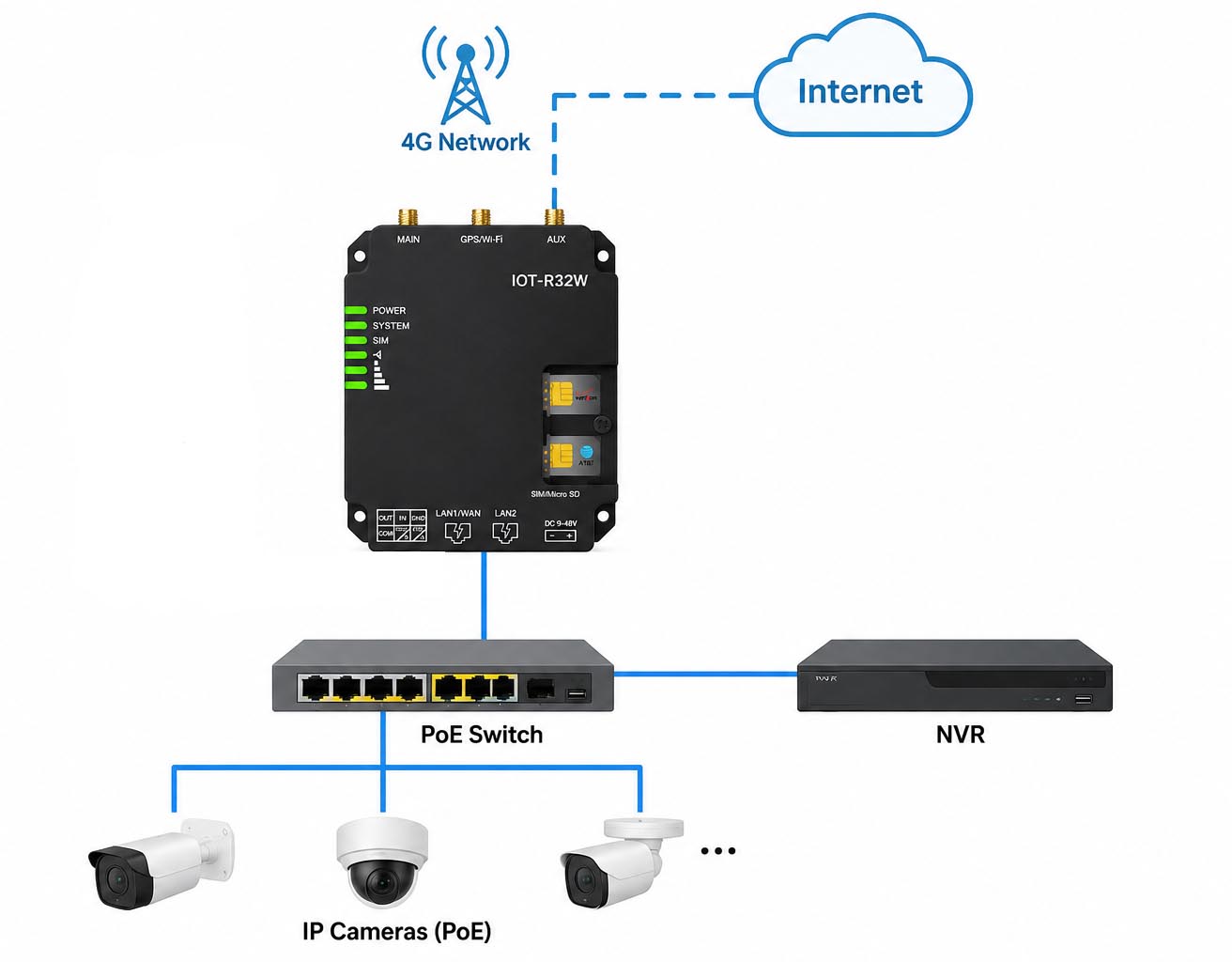
The VS43 includes two 10/100 Mbps Ethernet ports, configurable as one WAN plus one LAN, or two LAN ports. A separate switch can provide the additional local ports needed for a multi-camera system.
The optional PoE hardware version supports IEEE 802.3af/at output, up to 30 W per port and 60 W total. A 48 V input is required for PoE output. Confirm the selected hardware and camera power requirements; PoE is not standard on every configuration.
The supplied network illustration also depicts an IOT-R32W-labeled enclosure. It illustrates the connection layout, not verified model equivalence. Use the confirmed VS43 specification for procurement.
Plan the local equipment using the IP camera and network video recorder categories. The router provides cellular backhaul; local cabling, suitable power and compatible equipment are still required.
Dual SIM Backup for an Alternative Carrier Connection
The VS43 has two Mini SIM slots and supports backup between carrier networks. Automated failover and failback are listed between Ethernet, cellular and optional Wi-Fi connections.
For a remote surveillance project, using compatible SIMs from different carriers can provide an alternative connection when the primary network becomes unavailable, provided the backup network has coverage and an active service plan.
Dual SIM backup does not combine two carriers into one higher-speed connection, and switching networks may interrupt an active viewing session. Test failover with the actual cameras, recorder and viewing software before relying on it in the field.
Choosing a Carrier for a U.S. Installation
US Vision can help review the regional router configuration and carrier requirements for your U.S. project. The supplied datasheet lists Verizon under carrier approvals, but does not include a complete LTE band table or a full U.S. carrier compatibility list.
Before ordering, provide your preferred carrier and installation location so the exact hardware version, supported bands, SIM activation requirements and data plan can be checked. Do not assume every regional version will work with every U.S. operator.
Connection stability depends on more than the router: coverage, antenna positioning, carrier congestion, power and installation conditions all matter. A site signal test is an important part of planning.
Plan Video Upload Traffic and Remote Access
The cellular specification lists maximum rates of 150 Mbps download and 50 Mbps upload. These are maximum cellular rates, not guaranteed site performance; each Ethernet port is rated at 100 Mbps.
For remote camera viewing, upload capacity is especially important because video must leave the site. Camera count, stream bitrate, viewing duration and cloud-upload settings all affect cellular usage. Local NVR recording can be planned separately from the footage transmitted over the mobile connection.
The router lists VPN options including IPsec, OpenVPN and WireGuard. Confirm the remote-access design with the carrier plan and camera platform rather than assuming that inserting a SIM automatically makes cameras reachable from the internet.
Example: Estimating Cellular Video Data
A stream averaging 2 Mbps uploaded continuously for 24 hours transfers about 21.6 GB per day, or 648 GB over 30 days, before network overhead. The same stream viewed remotely for one hour per day transfers about 0.9 GB per day, or 27 GB over 30 days. These are decimal-unit planning examples, not carrier plan allowances or measured VS43 results.
Local recording does not require uploading every stream continuously. Separate remote viewing and cloud uploads from the NVR storage calculation, then check carrier data limits, coverage and the expected uplink speed. For a temporary site, also compare fixed cameras and PTZ coverage before choosing streams to transmit.
Optional Wi-Fi and GNSS, with Industrial Installation Features
Optional 2.4 GHz Wi-Fi supports IEEE 802.11 b/g/n in access point or client mode. Optional GNSS, depending on region, supports positioning technologies including GPS. Specify these requirements before ordering.
The VS43 supports desktop, wall and DIN rail mounting, accepts a 9-48 VDC input and includes a hardware watchdog. The specified operating range is -40°C to +70°C (-40°F to +158°F), with reduced cellular performance above +60°C (+140°F).
The enclosure is rated IP30. For an outdoor camera project, install the router in an appropriately protected enclosure or indoor location. The operating temperature range does not make it suitable for direct exposure to rain.
Management options include a web interface, CLI, SNMP and TR069, giving installers ways to configure and maintain supported deployments.
Discuss Your Outdoor Surveillance Project with US Vision
If internet cabling is making your next camera project difficult, the VS43 may offer a practical alternative for the network connection. It combines cellular access, dual SIM backup and optional wireless or positioning features in a compact industrial router.
Send US Vision your installation location, preferred carrier, camera quantity, recorder model and available power supply. Tell us whether you need PoE, Wi-Fi or GPS so we can discuss the appropriate configuration and a site evaluation.
Contact US Vision for VS43 configuration advice and a quotation.
Email: info@cctvcamera-usa.com
Phone: +1-954-310-8495
WhatsApp: +1-954-310-8495
Specifications are based on the supplied VS43 Industrial 4G Router datasheet. Carrier compatibility, hardware options and site performance should be confirmed before deployment.
Information to Confirm Before Ordering
Ask US Vision for the current VS43 datasheet and configuration confirmation. Provide the intended U.S. carrier and location, and confirm the exact modem variant, supported LTE bands, SIM/APN requirements, plan eligibility and failover behavior. Do not treat a generic illustration or a carrier name as evidence of certification for every hardware variant. Specify optional Wi-Fi, GNSS and PoE separately.
Key takeaways
- A compatible SIM and usable cellular coverage can provide internet backhaul without extending wired broadband to the site.
- Dual SIM backup offers an alternative connection; it is not bonded bandwidth or a guarantee of uninterrupted video.
- Confirm the modem variant, carrier plan and ordered options. The supplied IOT-R32W-labeled illustrations do not verify the VS43 configuration.
- Plan cellular data separately from local NVR storage, and protect the IP30 router from direct outdoor exposure.
About the author: This article is published by the US Vision team. Contact us with questions about the information or your project requirements.